# About SecureAnyCloud
\
Security For Enterprise Grade Complexity
----------------------------------------
Enterprises have different problems and until you have digged deep, it is difficult to fathom the issues involved.
Every Application can be brought up in a single isolated box but have to add AD In CorpNet, Frontend Webservers in DMZ, SQL Server in Always On across three Data Centres and Multiple VPNs to different partners and vendors and Myriad of REST services and Shared Storage across SAN/NAS.
Add to that Multiple Legacy systems which are LOB. It may sound like a nightmare as it is All or None.
You know you need people who have done this multiple times and knows the game.
Call us Today!
[](https://console.cloud.google.com/launcher/browse?q=cognosys)[](https://aws.amazon.com/marketplace/search/results?x=0\&y=0\&searchTerms=cognosys\&page=1\&ref_=nav_search_box)[](https://azuremarketplace.microsoft.com/en-us/marketplace/apps?search=cognosys)
# Introduction
This is the guide to deployment of the Cloud Formation Template product for Secured WAMP with Aurora on Windows Server 2016
Secured WAMP with Aurora on Windows Server 2016 brings together ease of Windows operating system with Hardened Apache, PHP connected to AWS Aurora RDS
**WAMP** : Web development platform on Windows that allows you to create dynamic Web applications with Apache2, PHP, and MySQL. This product Replaces MySQL with highly available MySQL Compliant Cluster -Aurora on secured Windows platform.\
Enterprises are plagued with problem of maintaining a MySQL Cluster including backup, Security and overhead for administration. This product offers Highly scalable, Multiple AZ MySQL Cluster -Aurora. You can replace Aurora Connection String in place of MySQL.
**Use cases:**
Instead of installing and testing CMS like WordPress from scratch, you can do it on with easy and secure deployment with Cloud formation template. WAMP acts like a virtual server. Cloud Formation and Aurora offer scalability and security for production use.
[**High Availability**](/aws-deployment-secured-wamp-with-aurora-on-windows-server-2016/introduction/high-availability)**:**
The deployment is highly available with deployment across availability zones.
During deployment you can choose the regions

[**Deployment time**](/aws-deployment-secured-wamp-with-aurora-on-windows-server-2016/introduction/deployment-time)**:**
The product deployment via cloud formation template takes about 20 minutes.
# Overview
Secured WAMP with Aurora on Windows Server 2016 combines LAMP components on Windows with Aurora RDS instead of MySQL Server.
A typical deployment consist of any LOB application like:
Ecommerce - Magento/Prestashop
CMS - Wordpress/Jooma/Drupal
PHP Website with MySQL server backend
Cloud Formation and Aurora offer scalability and security for production use.
# Resources
Following resources are deployed as part of the product deployment:
EC2 Instance, LoadBalancer, InstanceProfile, DBInstance, DBCluster, DBSubnetGroup, VPC, 3 Subnets, Route, RouteTable, 3 SecurityGroups, 2 SecurityGroupIngress, InternetGateway

# High Availability
**High Availability:**
The deployment is highly available with deployment across availability zones.
During deployment you can configure Availability Zones.
Choose multiple zones for RDS cluster deployment

Depending on the CMS stack configuration selected for the WAMP deployment EC2 instances can be replicated across regions.
# Deployment time
\
**Deployment time:**
The product deployment via cloud formation template takes about 20 minutes.
# Architecture
Architecture of Cloud Formation Template product for Secured WAMP with Aurora on Windows Server 2016
An AWS account is required for this product deployment
Required AWS Services: CLOUDFORMATION, EC2, EBS
These components are deployed: RDS DBCluster, EC2 SecurityGroups, EC2 Subnet, EC2 Route , EC2 RouteTable, EC2 SecurityGroupIngress and EC2 VPC
Below components are deployed as a part of the template:
1. EC2 Windows Server 2016 image
2. Aurora RDS cluster service
3. Load balancer
# Getting Started
Visit the Product URL on AWS marketplace: [Secured WAMP with Aurora on Windows Server 2016](https://aws.amazon.com/marketplace/pp/B077D59SPJ?qid=1513568606325\&sr=0-1\&ref_=srh_res_product_title)
Click on Continue to Subscribe

Click on Continue to Configuration

In the configuration page click on the Select fulfillment option:

Select the fulfilment option as as Cloud formation Template


The Ready Template is prefilled

# Pre-Requisites
**Pre-Requisites:**
Basic knowledge of below AWS components if required:
1. [AWS account](https://aws.amazon.com/account/)
2. [Cloud Formation Template](https://aws.amazon.com/cloudformation/resources/templates/)
3. [EC2](https://aws.amazon.com/ec2/?ec2-whats-new.sort-by=item.additionalFields.postDateTime\&ec2-whats-new.sort-order=desc) - Windows Operating System
4. [RDS](https://aws.amazon.com/rds/) - Aurora MySQL
**IAM Roles:**
Below IAM Roles will be created by the Cloud Formation Template:
1. IAMForEC2 : This role is required for creation of EC2 Instance and Network elements - Principal of ec2.amazonaws.com
2. IAMRoleForStackCreation: This role is required for creation of Cloud Formation components
These IAM roles are required for creation of resources mentioned in this [link](/aws-deployment-secured-wamp-with-aurora-on-windows-server-2016/introduction/resources)
# Configuration
Step by Step instructions
Input a stack name and choose the Availability zones where the Aurora DB is deployed and the instance type depending on the expected load.

Input the key name with a existing key which will be used to connect to the instances

Setup the Backup Retention for DB snapshots

Optional: Add tags or IAM permissions

Review all the settings

Choose the Rollback options

After Clicking Create Start you can see the progress of the template deployment

Please check the Output Window once the deployment completes

# Service Limits
### Viewing your current limits
Use the **Limits** page in the Amazon EC2 console to view the current limits for resources provided by Amazon EC2 and Amazon VPC, on a per-Region basis.
**To view your current limits**
1. Open the Amazon EC2 console at .
2. From the navigation bar, select a Region.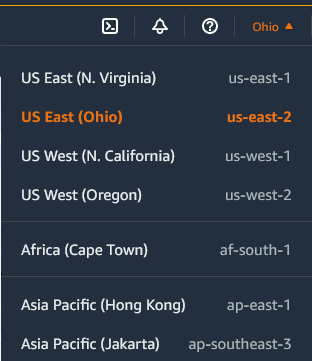
3. From the navigation pane, choose **Limits**.
4. Locate the resource in the list. You can use the search fields to filter the list by resource name or resource group. The **Current limit** column displays the current maximum for the resource for your account.
Aurora Service limits can be found at this [link](https://docs.aws.amazon.com/AmazonRDS/latest/AuroraUserGuide/CHAP_Limits.html)
# Network Configuration
During the cloud formation deployment below VPC network with subnets is created as per user configuration

# Backup, maintenance & recovery
## **BACKUP**
**Database Backup**
Aurora RDS cluster default backup is configured for 00:00-00:30
User can choose the Backup Retention policy

**EC2 Compute Backup**
For EC2 backup it is recommended to do regular snapshot backups as described [here](https://docs.aws.amazon.com/AWSEC2/latest/UserGuide/EBSSnapshots.html)
## **MAINTENANCE**
**Database Maintenance**
Default Aurora RDS cluster maintenance window is set to sun:16:00-sun:17:30
**EC2 Maintenance**
Please refer to [this](https://aws.amazon.com/maintenance-help/) guide to setup EC2 Maintenance windows
## **RESTORE**
**Database Restore**
To restore Aurora backup refer this [link](https://docs.aws.amazon.com/AmazonRDS/latest/AuroraUserGuide/Aurora.Managing.Backups.html)
**EC2 Compute Restore**
To restore EC2 backup from snapshot refer this [link](https://docs.aws.amazon.com/AWSEC2/latest/UserGuide/ebs-restoring-volume.html)
# DR Strategy
Aurora RDS DR:
Please refer this [link](https://aws.amazon.com/blogs/database/implementing-a-disaster-recovery-strategy-with-amazon-rds/) for Aurora DR Strategy.
On template deployment snapshot backups are auto enabled. You can enable Auto Scaling as guided in this [link](/aws-deployment-secured-wamp-with-aurora-on-windows-server-2016/after-deployment/auto-scaling)
#### Cross-Region Disaster Recovery
If your primary region suffers a performance degradation or outage, you can promote one of the secondary regions to take read/write responsibilities. An Aurora cluster can recover in less than 1 minute even in the event of a complete regional outage. This provides your application with an effective Recovery Point Objective (RPO) of 1 second and a Recovery Time Objective (RTO) of less than 1 minute, providing a strong foundation for a global business continuity plan.


#### Restoring from a DB snapshot
If a disaster occurs, you can create a new DB instance by restoring from a DB snapshot. When you restore the DB instance, you choose the name of the DB snapshot from which you want to restore. Then, you provide a name for the new DB instance that is created. Here are a few things to note about the restoration process:
* You cannot restore from a DB snapshot to an existing DB instance. Instead, you create a new DB instance when you restore. If you want to use the same name as the existing DB instance, you must first delete or rename the existing one.
* While it’s possible to restore a DB snapshot to a DB instance with a different storage type than the source DB instance, the restoration process is slower. There is additional work required to migrate the data to a new storage type.
* You can’t restore a DB instance from a shared DB snapshot that is encrypted. Instead, you make a copy of the DB snapshot and then restore the DB instance from the copy.
* It’s a good practice to retain the parameter group of any DB snapshots that you create. This enables you to restore the DB instance with the correct parameter group.
* When you restore from a DB snapshot, by default the option group that is associated with the DB snapshot is associated with the restored DB instance. You can associate a different option group with a restored DB instance. However, the new option group must contain any persistent or permanent options that were included in the original option group.
For detailed instructions, see [Restoring from a DB Snapshot](https://docs.aws.amazon.com/AmazonRDS/latest/UserGuide/USER_RestoreFromSnapshot.html) in the *Amazon RDS User Guide*.

**EC2 Compute Backup**
For EC2 backup it is recommended to do regular snapshot backups as described [here](https://docs.aws.amazon.com/AWSEC2/latest/UserGuide/EBSSnapshots.html)
# After deployment
You can use the deployed stack to deploy any WAMP application like PHP CMS stacks, example wordpress, joomla, etc.
Information about installed components: Location of Apache Bin : C:\Apache24\bin Location of PHP: C:\PHP Location of htdocs: C:\Apache24\htdocs Location of Aurora Conn Strings: C:\install\Aurora\_credentials.txt


# Support
Tier 1: **Deployment Support**
24x7 Support
Live Support @
Email:
Response time: 24 hours
Tier 2: **Custom deployment And Managed Services**
Email: with details on the requirements and the customization requirements.
Response time: 24 hours
**SLA**
For both Tiers there is AWS backed SLA
**For** [**Database**](https://aws.amazon.com/rds/aurora/sla/)
| **Monthly Uptime Percentage** | **Service Credit Percentage** |
| --------------------------------------------------- | ----------------------------- |
| Less than 99.99% but equal to or greater than 99.0% | 10% |
| Less than 99.0% but equal to or greater than 95.0% | 25% |
| Less than 95.0% | 100% |
**For** [**Compute**](https://aws.amazon.com/compute/sla/)
| **Monthly Uptime Percentage** | **Service Credit Percentage** |
| --------------------------------------------------- | ----------------------------- |
| Less than 99.99% but equal to or greater than 99.0% | 10% |
| Less than 99.0% but equal to or greater than 95.0% | 30% |
| Less than 95.0% | 100% |
**For** [**Elastic Load Balancing**](https://aws.amazon.com/elasticloadbalancing/sla/)
| **Monthly Uptime Percentage** | **Service Credit Percentage** |
| --------------------------------------------------- | ----------------------------- |
| Less than 99.99% but greater than or equal to 99.0% | 10% |
| Less than 99.0% but greater than or equal to 95.0% | 30% |
| Less than 95.0% | 100% |
# SLA
For services on AWS
This solution is hosted with AWS components and comes with SLA of AWS backed services
Database SLA:
Compute SLA:
Load Balancer SLA:
# Health Check
Monitoring the health of Application components:
1. Compute
AWS EC2 compute monitoring is described in this [link](https://docs.aws.amazon.com/AWSEC2/latest/UserGuide/monitoring_ec2.html)
2. Database:
AWS Aurora health monitoring is described in this [link](https://docs.aws.amazon.com/AmazonRDS/latest/AuroraUserGuide/MonitoringAurora.html)
# Auto-Scaling
During deployment Auto-Scaling for Aurora RDS is not configured
To enable Auto-Scaling you will need to add a replica. Please follow the below steps:
**Step1:** Add a replica
Navigate to the RDS cluster from Resources of the Cloud formation template

Or go to

Click on the database under RDS cluster -> Click on Instance Actions -> Create aurora replica

Give a name to the replica in the replica creation window. You will see the replica being created

Once the replica is created you can click on Actions on the RDS cluster and choose the option "Add replica to auto scaling"

**Step 2:** Aurora RDS can be configured using this [link](https://docs.aws.amazon.com/AmazonRDS/latest/AuroraUserGuide/Aurora.Integrating.AutoScaling.html)
**To add an auto scaling policy to an Aurora DB cluster**
1. Sign in to the AWS Management Console and open the Amazon RDS console at .
2. In the navigation pane, choose **Databases**.
3. Choose the Aurora DB cluster that you want to add a policy for.
4. Choose the **Logs & events** tab.
5. In the **Auto scaling policies** section, choose **Add**.
The **Add Auto Scaling policy** dialog box appears.
6. For **Policy Name**, type the policy name.
7. For the target metric, choose one of the following:
* **Average CPU utilization of Aurora Replicas** to create a policy based on the average CPU utilization.
* **Average connections of Aurora Replicas** to create a policy based on the average number of connections to Aurora Replicas.
8. For the target value, type one of the following:
* If you chose **Average CPU utilization of Aurora Replicas** in the previous step, type the percentage of CPU utilization that you want to maintain on Aurora Replicas.
* If you chose **Average connections of Aurora Replicas** in the previous step, type the number of connections that you want to maintain.
Aurora Replicas are added or removed to keep the metric close to the specified value.
9. (Optional) Open **Additional Configuration** to create a scale-in or scale-out cooldown period.
10. For **Minimum capacity**, type the minimum number of Aurora Replicas that the Aurora Auto Scaling policy is required to maintain.
11. For **Maximum capacity**, type the maximum number of Aurora Replicas the Aurora Auto Scaling policy is required to maintain.
12. Choose **Add policy**.
The following dialog box creates an Auto Scaling policy based an average CPU utilization of 40 percent. The policy specifies a minimum of 5 Aurora Replicas and a maximum of 15 Aurora Replicas.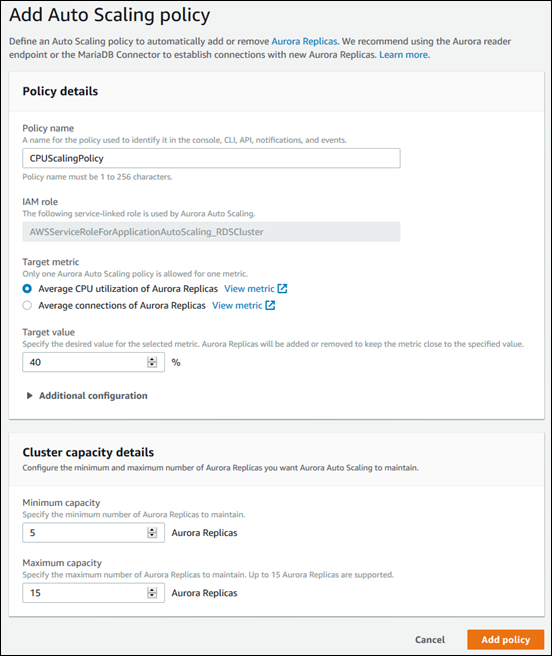
The following dialog box creates an auto scaling policy based an average number of connections of 100. The policy specifies a minimum of two Aurora Replicas and a maximum of eight Aurora Replicas.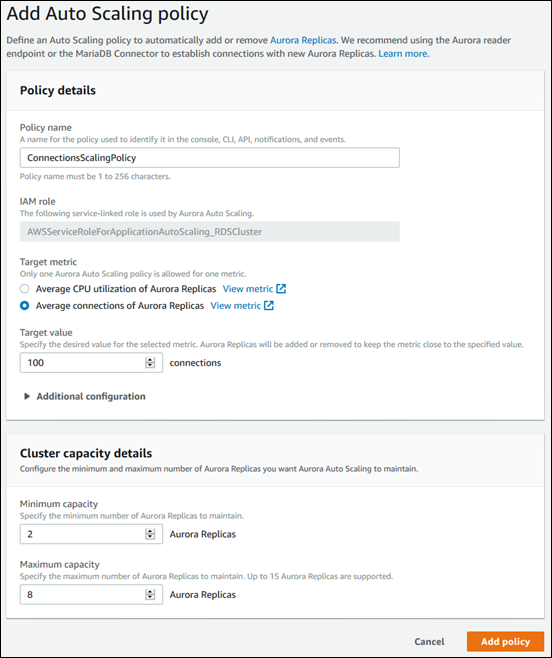
When you click Add policy you have activated the Auto-Scaling

If you try to add Auto Scaling policy without adding at least one replica as detailed in Step 1 you will get a message like below

# Security Best Practices
### Use IAM to control access
IAM is an AWS service that you can use to manage users and their permissions in AWS.
Users require full access to manage all of the resources in a template.
AWS CloudFormation makes calls to create, modify, and delete those resources on their behalf. To separate permissions between a user and the AWS CloudFormation service, use a service role. AWS CloudFormation uses the service role's policy to make calls instead of the user's policy.
To deploy this product IAMRoleForStackCreation is required for the user
For more information, see [AWS CloudFormation service role](https://docs.aws.amazon.com/AWSCloudFormation/latest/UserGuide/using-iam-servicerole.html).
Follow the principle of least privilege as described in this [link](https://docs.aws.amazon.com/IAM/latest/UserGuide/best-practices.html#grant-least-privilege)
# Security for Amazon Aurora
**Security for Amazon Aurora is managed at three levels**:
* To control who can perform Amazon RDS management actions on Aurora DB clusters and DB instances, you use AWS Identity and Access Management (IAM). When you connect to AWS using IAM credentials, your AWS account must have IAM policies that grant the permissions required to perform Amazon RDS management operations. For more information, see [Identity and access management in Amazon Aurora](https://docs.aws.amazon.com/AmazonRDS/latest/AuroraUserGuide/UsingWithRDS.IAM.html).
If you are using IAM to access the Amazon RDS console, you must first log on to the AWS Management Console with your IAM user credentials, and then go to the Amazon RDS console at .
* Aurora DB clusters are created in a virtual private cloud (VPC) based on the Amazon VPC service. To control which devices and Amazon EC2 instances can open connections to the endpoint and port of the DB instance for Aurora DB clusters in a VPC, you use a VPC security group. You can make these endpoint and port connections using Transport Layer Security (TLS)/Secure Sockets Layer (SSL). In addition, firewall rules at your company can control whether devices running at your company can open connections to a DB instance. For more information on VPCs, see [Amazon Virtual Private Cloud VPCs and Amazon Aurora](https://docs.aws.amazon.com/AmazonRDS/latest/AuroraUserGuide/USER_VPC.html).
* To authenticate logins and permissions for an Amazon Aurora DB cluster, you can take either of the following approaches, or a combination of them.
* You can take the same approach as with a stand-alone DB instance of MySQL or PostgreSQL.
Techniques for authenticating logins and permissions for stand-alone DB instances of MySQL or PostgreSQL, such as using SQL commands or modifying database schema tables, also work with Aurora. For more information, see [Security with Amazon Aurora MySQL](https://docs.aws.amazon.com/AmazonRDS/latest/AuroraUserGuide/AuroraMySQL.Security.html)
* You can also use IAM database authentication for Aurora MySQL.
With IAM database authentication, you authenticate to your Aurora MySQL DB cluster by using an IAM user or IAM role and an authentication token. An *authentication token* is a unique value that is generated using the Signature Version 4 signing process. By using IAM database authentication, you can use the same credentials to control access to your AWS resources and your databases. For more information, see [IAM database authentication](https://docs.aws.amazon.com/AmazonRDS/latest/AuroraUserGuide/UsingWithRDS.IAMDBAuth.html).
For information about configuring security, see [Security in Amazon Aurora](https://docs.aws.amazon.com/AmazonRDS/latest/AuroraUserGuide/UsingWithRDS.html).
# Encryption
Default deployment does not enable encryption on Aurora RDS.
It is recommended to enable encryption for security
Amazon Aurora can encrypt your Amazon Aurora DB clusters. Data that is encrypted at rest includes the underlying storage for DB clusters, its automated backups, read replicas, and snapshots.
Amazon Aurora encrypted DB clusters use the industry standard AES-256 encryption algorithm to encrypt your data on the server that hosts your Amazon Aurora DB clusters. After your data is encrypted, Amazon Aurora handles authentication of access and decryption of your data transparently with a minimal impact on performance. You don't need to modify your database client applications to use encryption.
Please refer this [link](https://docs.aws.amazon.com/AmazonRDS/latest/AuroraUserGuide/Overview.Encryption.html#Overview.Encryption.Enabling) to for Enabling encryption for an Amazon Aurora DB cluster
**How to enable encryption?**
**Amazon Aurora** allows you to encrypt your databases using keys you manage through AWS Key Management Service (KMS).
***Encryption and decryption are handled seamlessly, so you don’t have to modify your applications to access your data.***
**How to manage Amazon RDS Encryption Keys?**
You can manage keys used for Amazon RDS encrypted instances using the AWS Key Management Service (AWS KMS) in the IAM console.
**AWS KMS** is a service which enables you to create and use the encryption keys to protect your data.
**What is the cost for implementing Encryption at Rest?**
Encryption at rest is available at no additional cost in all Amazon regions. AWS KMS usage is billed at standard rates. There is no charge for the encryption; you will be charged for the calls that Aurora DB makes to AWS KMS.
**What are the limitations for implementing Encryption at Rest?**
You can only enable encryption for an Amazon RDS DB instance when you create it, not after the DB instance is created.
Step 1: Because you can encrypt a copy of an unencrypted snapshot, you can effectively add encryption to an unencrypted DB instance which was deployed by the Template.
Step 2: That is, you can create a snapshot of your DB instance, and then create an encrypted copy of that snapshot.
Step 3: You can then restore a DB instance from the encrypted snapshot, and thus you have an encrypted copy of your original DB instance. For more information, see [Copying a snapshot](https://docs.aws.amazon.com/AmazonRDS/latest/UserGuide/USER_CopySnapshot.html).
Since you can encrypt a copy of an unencrypted snapshot, this way, you can quickly add encryption to a previously unencrypted DB instance. That is, you can create a snapshot of your DB instance when you are ready to encrypt it, and then create a copy of that snapshot and specify a AWS KMS CMK to encrypt that snapshot copy. You can then restore an encrypted DB instance from the encrypted snapshot.
You can refer this [link](https://aws.amazon.com/blogs/database/applying-best-practices-for-securing-sensitive-data-in-amazon-rds/) for best practices
During Cloud Formation deployment below VPC and Subnets are used - If you need to recreate the RDS database below should be used in the network configuration

# AWS EC2 Security
## **AWS EC2 Security**
As a managed service, Amazon EC2 is protected by the AWS global network security procedures that are described in the [Amazon Web Services: Overview of Security Processes](https://d0.awsstatic.com/whitepapers/Security/AWS_Security_Whitepaper.pdf) whitepaper.
The product template allows user to restrict access to RDP security to the EC2 instances

### **EC2 instance Security key**
Security key is selected when deploying the template

For more information on EC2 key pairs refer this [link](https://docs.aws.amazon.com/AWSEC2/latest/WindowsGuide/ec2-key-pairs.html)
# Secrets Management
Aurora RDS database created by the cloud formation template does not use or create Secrets Manager.
However it is recommended for the users to integrate with AWS Secrets Manager for enhanced security
For information about using Secrets Manager with Amazon Aurora, see [Creating a basic secret](https://docs.aws.amazon.com/secretsmanager/latest/userguide/manage_create-basic-secret.html) and [Rotating secrets for supported Amazon RDS databases](https://docs.aws.amazon.com/secretsmanager/latest/userguide/rotating-secrets-rds.html) in the *AWS Secrets Manager User Guide*.
# Rotating Keys
This Product does not setup Key Rotation by default.
The importance of IAM is heightened in environments that require and leverage native AWS authentication mechanisms. For these use cases, IAM access keys and secrets provide the ability to authenticate with the component application services and data programmatically.
For some customers, IAM key lifecycle and rotation may be a critical security requirement to maintain adherence to security or compliance standards for their environment.
Please refer this [link](https://aws.amazon.com/blogs/apn/automating-rotation-of-iam-user-access-and-secret-keys-with-aws-secrets-manager/) for Setting Up the Key Rotation
# Public Assets
**Public Assets**
AWS ELB Load Balancer is the public component where you will need to configure the DNS records
Please check this [link](https://docs.aws.amazon.com/Route53/latest/DeveloperGuide/routing-to-elb-load-balancer.html) for configuration of ELB Load Balancer
# Instance Sizing
EC2 instance and Aurora components can be scaled up or down depending on the workload
Below EC2 instance sizes are offered:
Please refer to this [link](https://aws.amazon.com/ec2/instance-types/) for EC2 instance sizing
Default: t2.medium
Allowed:
```
"t2.micro",
"t2.small",
"t2.medium",
"m3.medium",
"m3.large",
"m3.xlarge",
"m3.2xlarge",
"m4.large",
"m4.xlarge",
"m4.2xlarge",
"m4.4xlarge",
"m4.10xlarge",
"c3.large",
"c3.xlarge",
"c3.2xlarge",
"c3.4xlarge",
"c3.8xlarge",
"c4.large",
"c4.xlarge",
"c4.2xlarge",
"c4.4xlarge",
"c4.8xlarge",
"g2.2xlarge",
"hi1.4xlarge",
"hs1.8xlarge",
"i2.xlarge",
"i2.2xlarge",
"i2.4xlarge",
"i2.8xlarge",
"r3.large",
"r3.xlarge",
"r3.2xlarge",
"r3.4xlarge",
"r3.8xlarge"
```
Aurora component sizing information can be found at this [link](https://docs.aws.amazon.com/AmazonRDS/latest/AuroraUserGuide/Concepts.DBInstanceClass.html)
Below Aurora RDS Instance Type sizing are offered:
Default: db.t2.medium
Allowed sizes:
```
"db.t2.medium",
"db.r3.large",
"db.r3.xlarge",
"db.r3.2xlarge",
"db.r3.4xlarge",
"db.r3.8xlarge"
```
AWS Elastic LoadBalancer is automatically created where you can configure your DNS name.
# Costing
The software cost is 0.01$ per core
Please find the detailed pricing with annual discounts at this [link](https://aws.amazon.com/marketplace/pp/B077D59SPJ#pdp-pricing)
# CFT: Secured WAMP With Aurora - Windows 2016
This is the guide to deployment of the Cloud Formation Template product for Secured WAMP with Aurora on Windows Server 2016
## Secured WAMP with Aurora on Windows Server 2016
**Introduction**:
**WAMP** is a Web development platform on Windows that allows you to create dynamic Web applications with Apache2, PHP, and MySQL. This Stack Replaces MySQL with highly available MySQL Compliant Cluster -Aurora on secured Windows platform.\
Enterprises are plagued with problem of maintaining a MySQL Cluster including backup, Security and overhead for administration. This product offers Highly scalable, Multiple AZ MySQL Cluster -Aurora. You can replace Aurora Connection String in place of MySQL.
How to launch:
Product URL:
Click on Continue to Subscribe

Click on Continue to Configuration

In the configuration page click on the Select fulfillment option:

Select the fulfilment option as as Cloud formation Template


The Ready Template is prefilled

Input a stack name and choose the Availability zones where the Aurora DB is deployed and the instance type depending on the expected load.

Input the key name with a existing key which will be used to connect to the instances

Setup the Backup Retention for DB snapshots

Optional: Add tags or IAM permissions

Review all the settings

Choose the Rollback options


Information about installed components: Location of Apache Bin : C:\Apache24\bin Location of PHP: C:\PHP Location of htdocs: C:\Apache24\htdocs Location of Aurora Conn Strings: C:\install\Aurora\_credentials.txt


**Supported Regions:**
[Aurora MySql Supported Regions](https://docs.aws.amazon.com/AmazonRDS/latest/AuroraUserGuide/Concepts.RegionsAndAvailabilityZones.html#Aurora.Overview.Availability.MySQL) are updated automatically by AWS.
**Security Recommendation:**
Please Do not use root user for any deployment or operations. Here are the instructions for [Using the AWS account root user](https://docs.aws.amazon.com/accounts/latest/reference/root-user.html)
# MySql Change Password
*Many a time your security scan shall fail for having*
/etc/mysql/debian.cnf file in your linux instance. Typically, after a image has been made, you need to remove this file and set a special user *debian-sys-maint which can be used to reset your root user login.*
**Step 1:**
```bash
mysql -u debian-sys-maint -p%oldpassword%
```
(replace %oldpassword% with the password you are being given by us when you first time do SSH to your instance)
**Step2:**
*SET PASSWORD = PASSWORD(‘%newpassword%’);*
(replace %newpassword% with the new password)
**Step3:**
*exit*
**Step 4:**
Now you can login with this user and set password for any user including root
Mysql Debian conf file vulnerability remediation on public clouds – AWS Azure GCP Oracle04.16.2022
# PHP on cloud
**PHP** started out as a small open source project that evolved as more and more people found out how useful it was. Rasmus Lerdorf unleashed the first version of PHP way back in 1994.PHP is the most popular scripting language on the web. Without PHP Facebook, Yahoo, Google wouldn’t have exist. The course is geared to make you a PHP pro. Once you digest all basics, the course will help you create your very own Opinion Poll application. PHP is a powerful server-side scripting language utilized for building a variety of web solutions. It enables the development of static websites, dynamic websites, and web applications. Originally known as Personal Home Pages, PHP now stands for Hypertext Pre-processor. PHP scripts can be executed exclusively on servers equipped with PHP installation.
* PHP is a recursive acronym for “PHP: Hypertext Preprocessor”.
* PHP is a server side scripting language that is embedded in HTML. It is used to manage dynamic content, databases, session tracking, even build entire e-commerce sites.
* It is integrated with a number of popular databases, including MySQL, PostgreSQL, Oracle, Sybase, Informix, and Microsoft SQL Server.
* PHP is pleasingly zippy in its execution, especially when compiled as an Apache module on the Unix side. The MySQL server, once started, executes even very complex queries with huge result sets in record-setting time.
* PHP supports a large number of major protocols such as POP3, IMAP, and LDAP. PHP4 added support for Java and distributed object architectures (COM and CORBA), making n-tier development a possibility for the first time.
* PHP is forgiving: PHP language tries to be as forgiving as possible.
* PHP Syntax is C-Like.
### Common uses of PHP:
* PHP performs system functions, i.e. from files on a system it can create, open, read, write, and close them.
* PHP can handle forms, i.e. gather data from files, save data to a file, through email you can send data, return data to the user.
* You add, delete, modify elements within your database through PHP.
* Access cookies variables and set cookies.
* Using PHP, you can restrict users to access some pages of your website.
* It can encrypt data.
### Characteristics of PHP
Five important characteristics make PHP’s practical nature possible −
* Simplicity
* Efficiency
* Security
* Flexibility
* Familiarity
### Know More…..
A scripting language refers to a type of programming language that executes a set of instructions during runtime. These instructions, known as scripts, are typically interpreted rather than compiled. Scripts are often integrated into other software environments to enhance functionality or automate repetitive tasks.
Server-side scripts are interpreted on the server, meaning they are processed by the server before the final result is sent to the client. PHP is an example of a server-side scripting language that is executed on the server. On the other hand, client-side scripts are interpreted by the client application, usually a web browser. JavaScript is a popular client-side scripting language that is executed by the browser.
Both PHP and JavaScript can be seamlessly embedded within HTML pages, allowing developers to create dynamic and interactive web experiences.
### What is PHP?
* PHP was originally known as Personal Home Page and later evolved into PHP: Hypertext Preprocessor, which is a recursive backronym.
* PHP, initially standing for Personal Home Page, has since transformed into PHP: Hypertext Preprocessor through a recursive backronym process.
* In the past, PHP stood for Personal Home Page, but it has since adopted the recursive backronym PHP: Hypertext Preprocessor.
* Initially denoted as Personal Home Page, PHP now refers to PHP: Hypertext Preprocessor, an acronym formed through recursion.
* PHP’s original meaning was Personal Home Page, but it has now been expanded to PHP: Hypertext Preprocessor, thanks to a recursive backronym.
* Having knowledge of HTML is beneficial when learning PHP, although it is possible to learn PHP without HTML. However, it is recommended to have a basic understanding of HTML.
* While learning PHP, familiarity with HTML can be advantageous. However, it is not mandatory to know HTML as a prerequisite for PHP, although it is advisable to have a basic grasp of HTML concepts.
* HTML can be an added advantage while learning PHP, although it is not strictly required. It is recommended to have a foundational understanding of HTML, especially for more comprehensive tasks such as interactive applications and web services, where JavaScript and XML are also necessary.
* Understanding HTML can be advantageous in the process of learning PHP, although it is not essential. However, for more advanced topics like interactive applications and web services, JavaScript and XML are indispensable alongside PHP.
* While learning PHP, knowing HTML can be beneficial but not mandatory. However, for advanced functionalities like interactive applications and web services, proficiency in JavaScript and XML is required in addition to PHP.
### What makes using a PHP worthwhile?
1. Wide Adoption and Community Support: PHP is one of the most widely adopted server-side scripting languages. It has a large and active community of developers, which means there are abundant resources, libraries, frameworks, and online communities available for support and collaboration. This makes it easier to find solutions to problems, get assistance, and stay updated with the latest developments.
2. Versatility and Flexibility: PHP offers versatility in terms of its areas of application. It can handle various web development tasks, such as building dynamic websites, creating web applications, processing form data, interacting with databases, generating dynamic content, and more. It can be embedded into HTML code or used with different web frameworks, content management systems, and databases, providing flexibility in development approaches.
3. Easy to Learn and Use: PHP has a relatively straightforward syntax that is easy to understand, especially for beginners. Its simplicity and intuitive nature make it accessible to new developers, enabling them to quickly start building web applications. Additionally, PHP’s documentation is comprehensive and beginner-friendly, further facilitating the learning process.
4. Database Integration: PHP has excellent support for connecting and interacting with databases, making it an ideal choice for database-driven web applications. It provides built-in extensions for popular database management systems like MySQL, PostgreSQL, and Oracle. This allows developers to efficiently execute database queries, handle data storage and retrieval, and build robust applications with powerful data management capabilities.
5. Cost-Effectiveness: PHP is an open-source language, meaning it is freely available for use. This makes it a cost-effective option for businesses and developers, as there are no licensing fees associated with PHP itself. Additionally, PHP runs on various operating systems, including Windows, macOS, Linux, and Unix, making it compatible with a wide range of hosting environments without additional costs.
### How has the PHP community contributed to its market share and widespread adoption?
PHP is a versatile and widely used server-side scripting language. Here are 10 points that define what PHP is used for and its market share:
1. Web Development: PHP is primarily used for web development to create dynamic websites, web applications, and web services. It enables developers to generate HTML content, interact with databases, handle form submissions, and perform server-side processing.
2. Content Management Systems (CMS): PHP powers numerous popular CMS platforms, such as WordPress, Drupal, and Joomla. These CMSs allow users to create and manage websites easily, customize themes and plugins, and publish content.
3. E-commerce Solutions: PHP is extensively used for building e-commerce platforms, including Magento, WooCommerce, and PrestaShop. These platforms provide robust online shopping functionalities, order management, payment gateways, and inventory tracking.
4. Frameworks: PHP has a wide range of frameworks, such as Laravel, Symfony, and CodeIgniter, which simplify and accelerate web application development. These frameworks provide a structured approach, reusable components, and built-in features for rapid development.
5. APIs and Web Services: PHP is employed for building APIs and web services, allowing systems to communicate and exchange data seamlessly. It enables developers to create RESTful APIs, handle data serialization, and provide endpoints for external integrations.
6. Command-Line Scripts: PHP can be used for creating command-line scripts, automating tasks, and performing system-level operations. This makes it useful for tasks such as data processing, batch file operations, and server administration.
7. Market Share: PHP has a significant market share in the web development domain. While exact numbers vary, PHP consistently ranks among the top languages. According to W3Techs, PHP is used by approximately 79% of all websites that use server-side programming languages.
8. Community and Support: PHP benefits from a large and active community of developers. This community contributes to the continuous improvement of PHP, offers support through forums, online resources, and collaborates on open-source projects, making it easier for developers to find assistance and share knowledge.
9. Compatibility and Portability: PHP is compatible with multiple operating systems like Windows, macOS, Linux, and Unix. It can run on various web servers such as Apache, Nginx, and IIS. This cross-platform compatibility ensures that PHP applications can be deployed on different environments.
10. Continuous Development and Updates: The PHP language continues to evolve and release new versions with improved features, performance enhancements, and security updates. This demonstrates the active development and commitment of the PHP community to keep the language relevant and up-to-date.
Overall, PHP’s widespread usage in web development, support for CMS and e-commerce platforms, utilization in frameworks, APIs, and web services, significant market share, active community, cross-platform compatibility, and continuous development make it a popular choice for a broad range of web-related applications.
### PHP Hello world Sample code
```
```
### 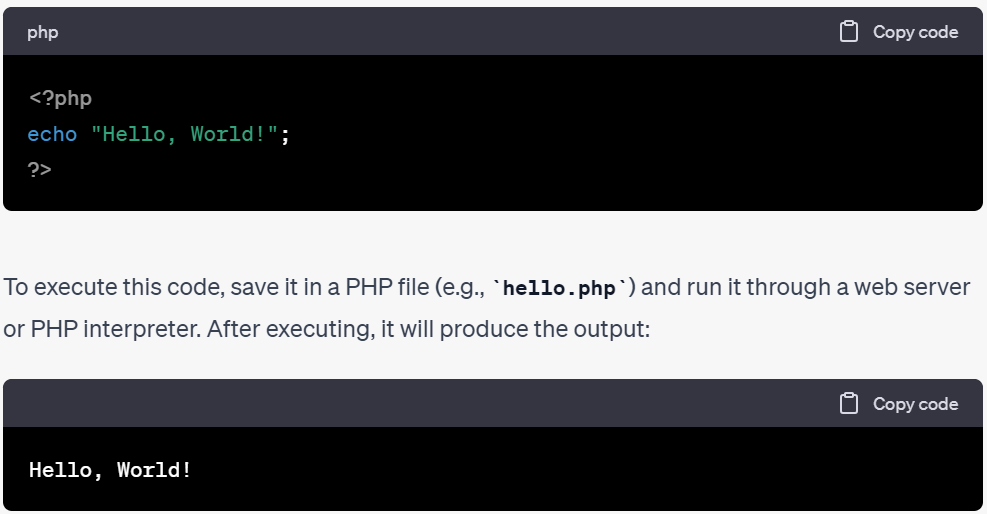
This simple program demonstrates how the `echo` statement is used to display the text “Hello, World!” on the screen when executed in a PHP environment.
### PHP – Environment Setup
In order to develop and run PHP Web pages three vital components need to be installed on your computer system.
* Web Server − PHP will work with virtually all Web Server software, including Microsoft’s Internet Information Server (IIS) but then most often used is freely available Apache Server.
* Database − PHP will work with virtually all database software, including Oracle and Sybase but most commonly used is freely available MySQL database
* PHP Parser − In order to process PHP script instructions a parser must be installed to generate HTML output that can be sent to the Web Browser.
### PHP Parser Installation
Before you proceed it is important to make sure that you have proper environment setup on your machine to develop your web programs using PHP.
Type the following address into your browser’s address box.
```
http://127.0.0.1/info.php
```
If this displays a page showing your PHP installation related information then it means you have PHP and Webserver installed properly. Otherwise you have to follow given procedure to install PHP on your computer.
### PHP – Installation on Windows with IIS
The Windows server installation of PHP running IIS is much simpler than on Unix, since it involves a precompiled binary rather than a source build.
If you plan to install PHP over Windows, then here is the list of prerequisites −
* A working PHP-supported Web server. Under previous versions of PHP, IIS/PWS was the easiest choice because a module version of PHP was available for it; but PHP now has added a much wider selection of modules for Windows.
* A correctly installed PHP-supported database like MySQL or Oracle etc. (if you plan to use one)
* The PHP Windows binary distribution .
* A utility to unzip files (search for PC file compression utilities)
Now here are the steps to install Apache and PHP5 on your Windows machine. If your PHP version is different then please take care accordingly.
* Extract the binary archive using your unzip utility; C:\PHP is a common location.
* Copy some .dll files from your PHP directory to your systems directory (usually C:\Winnt\System32). You need php5ts.dll for every case. You will also probably need to copy the file corresponding to your Web server module – C:\PHP\Sapi\php5isapi.dll. It’s possible you will also need others from the dlls subfolder – but start with the two mentioned above and add more if you need them.
* Copy either php.ini-dist or php.ini-recommended (preferably the latter) to your Windows directory (C:\Winnt or C:\Winnt40), and rename it php.ini. Open this file in a text editor (for example, Notepad). Edit this file to get configuration directives; We highly recommend new users set error reporting to E\_ALL on their development machines at this point. For now, the most important thing is the doc\_root directive under the Paths and Directories section.make sure this matches your IIS Inetpub folder (or wherever you plan to serve out of).
* Stop and restart the WWW service. Go to the Start menu → Settings → Control Panel → Services. Scroll down the list to IIS Admin Service. Select it and click Stop. After it stops, select World Wide Web Publishing Service and click Start. Stopping and restarting the service from within Internet Service Manager will not suffice. Since this is Windows, you may also wish to reboot.
* Open a text editor. Type: \. Save this file in your Web server’s document root as info.php.
* Start any Web browser and browse the file.you must always use an HTTP request ( or or ) rather than a filename (/home/httpd/info.php) for the file to be parsed correctly.You should see a long table of information about your new PHP installation message Congratulations!
### PHP – Frame Works
Frame Work is collection of software or program, that trigger off easy coding and implementing the code. It helps to programmer to achieve goals in short period of time. If PHP code is integrated with frame works, you can do anything with php coding skills.
### Some of frame works
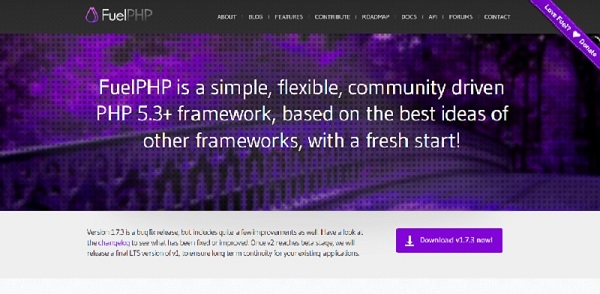
#### FuelPHP
Fuel PHP works based on Model View Control and having innovative plug ins. FuelPHP supports router based theory where you might route directly to a nearer the input uri, making the closure the controller and giving it control of further execution.
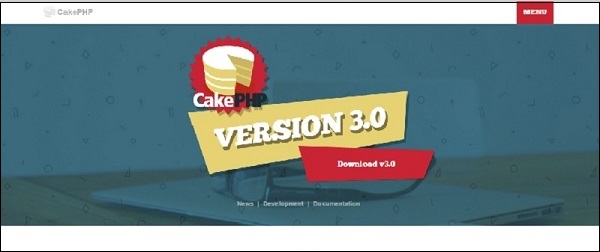
#### CakePHP
Cake PHP is a great source to build up simple and great web application in an easy way. Some great feature which are inbuilt in php are input validation, SQL injection prevention that keeps you application safe and secure.
Features
* Build Quickly
* No need to configure
* MIT licence
* MVC Model
* Secure
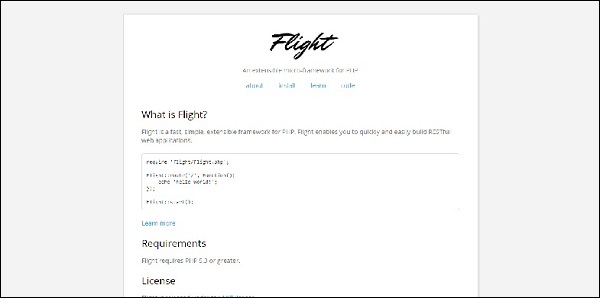
#### FlightPHP
Flight PHP is very helpful to make RESTful web services and it is under MIT licence.
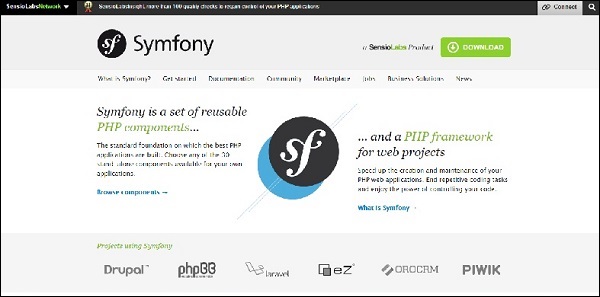
#### Symfony
Symfony is for highly professional developer to build websites with PHP components such as Drupal, PHPBB, laravel, eX, OROCRM and piwik.
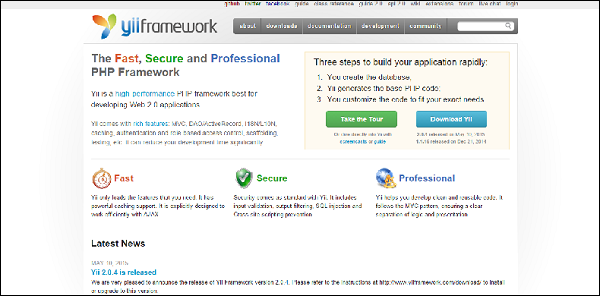
#### yiiFramework
YiiFramework works based on web 2.0 with high end security. It included input Validation, output filtering, and SQL injection.
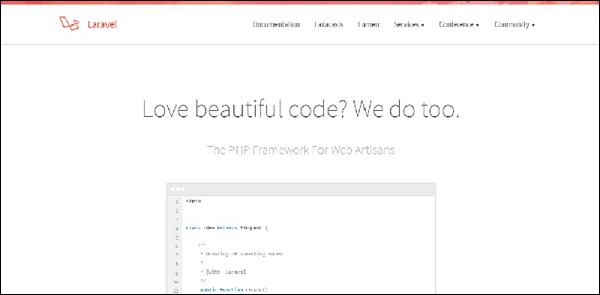
#### Laravel
Laravel is most useful for RESRful Routing and light weight bled tempting engine. Laravel has integrated with some of great components of well tested and reliable code.
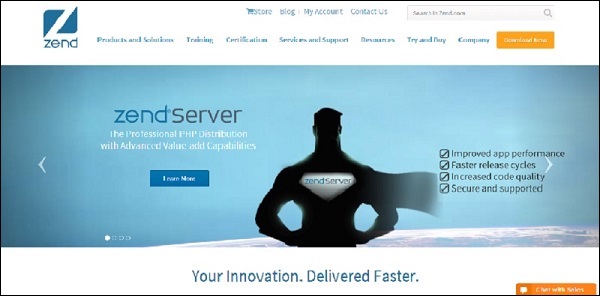
#### Zend
Zend is Modern frame work for performing high end web applications. This works based on Cryptographic and secure coding tools.
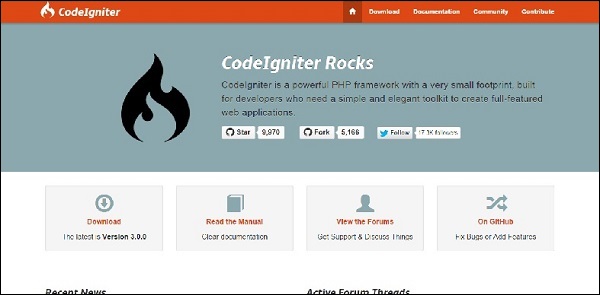
#### Codeigniter
Codeigiter is simple to develop small fool print for developer who need simple and elegant tool kit to create innovative web applications.
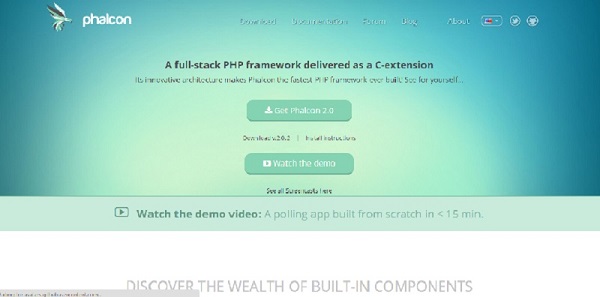
#### Phalcon PHP
Pholcon PHP works based on MVC and integrated with innovative architecture to do perform faster.
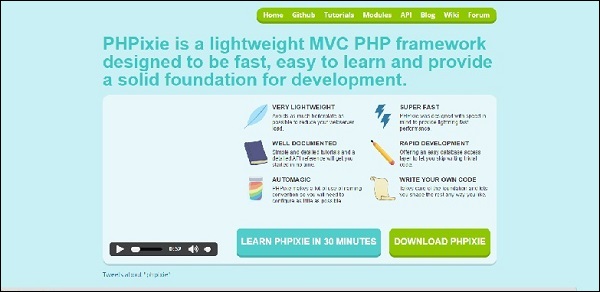
#### PHPixie
PHPixie works based on MVC and designed for fast and reliability to develop web sites.
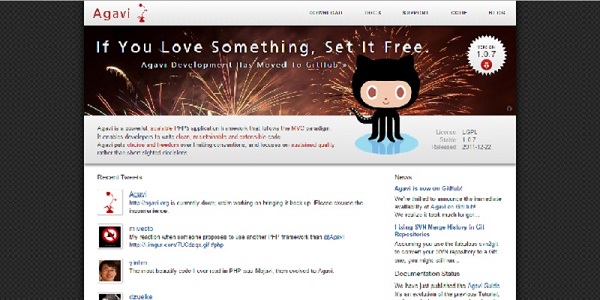
#### Agavi
Agavi is a powerful frame work and follows MVC model. It enables to developer to write clean and maintainable code.
### Core PHP vs Frame Works PHP
We assume that Core PHP means solving a Mathematical problem by using paper and pen. Frame work means solving Mathematical problem by using a calculator.
### Core PHP-Solving Mathematical Problem
Only some students can achieve results by using paper and pen as same as in PHP. Only a few of the developers can write the code in an easy way and reliable format.
### Framework – Solving Mathematical problem
Everyone can achieve the result by using the calculator as same as in PHP. Even beginners can write the code in easy way and reliable format.
The main problem with core PHP is when developers write own logic, it is difficult to make it out for the result so most of the developers are choosing innovative frameworks.
### Frame Work
Most of the frameworks are reliability, consistence and time saver. Some of the innovative frameworks are having the rich set of functionalities, so developer no need to write whole code, Developers needs to access the code by using framework and develop a PHP web application. Frameworks don’t give the solutions for bad code writers, but it gives reliability while writing code.
### Enhance Projects
Everyone wants to move into sophisticated technologies. If any website or web applications have developed in Core PHP, it is difficult to enhance the website components, but if website or web applications has developed in Frame Work PHP, it is very easy to enhance the features.
### Has Core PHP Been BAD?
It’s not at all bad. Core PHP helps you write the code and understand the code. when the developer at begin stage, we strongly recommended to learn Core PHP, cause we don’t want to see you as a bad developer. According to World theory, easy always gives best result with strong base. As per the world theory, if you know core PHP, you would reach your goal by using framework PHP.
### PHP Form Handling
The PHP superglobals $\_GET and $\_POST are used to collect form-data.
***
### PHP – A Simple HTML Form
The example below displays a simple HTML form with two input fields and a submit button:
#### Example
\\
\\\\
\
When the user fills out the form above and clicks the submit button, the form data is sent for processing to a PHP file named “welcome.php”. The form data is sent with the HTTP POST method.
To display the submitted data you could simply echo all the variables. The “welcome.php” looks like this:
\\
\Welcome \\ \
Your email address is: \\\
\
The output could be something like this:
Welcome John\
Your email address is
The same result could also be achieved using the HTTP GET method:
#### Example
\\
\\\\
\
and “welcome\_get.php” looks like this:
\\
\Welcome \\ \
Your email address is: \\\
\
The code above is quite simple. However, the most important thing is missing. You need to validate form data to protect your script from malicious code.
### PHP – Form Introduction
### Dynamic Websites
The Websites provide the functionalities that can use to store, update, retrieve, and delete the data in a database.
### What is the Form?
A Document that containing black fields, that the user can fill the data or user can select the data.Casually the data will store in the data base
#### Example
Below example shows the form with some specific actions by using post method.
```
PHP Form Validation
Tutorials Point Absolute classes registration
Your Given details are as :";
echo $name;
echo " ";
echo $email;
echo " ";
echo $website;
echo " ";
echo $comment;
echo " ";
echo $gender;
?>
```
It will produce the following result −
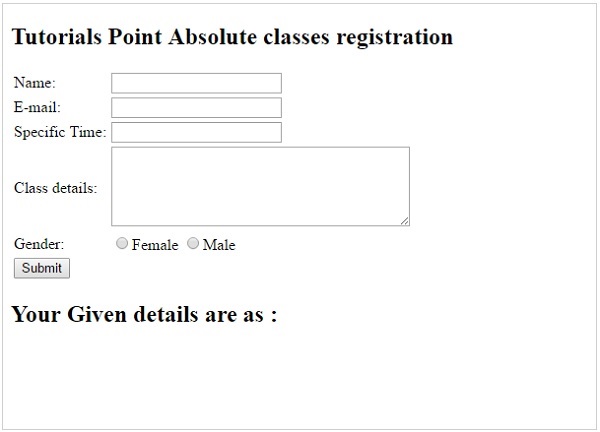
Required field will check whether the field is filled or not in the proper way. Most of cases we will use the \* symbol for required field.
### PHP – Validation Example
### What is Validation ?
Validation means check the input submitted by the user. There are two types of validation are available in PHP. They are as follows −
* Client-Side Validation − Validation is performed on the client machine web browsers.
* Server Side Validation − After submitted by data, The data has sent to a server and perform validation checks in server machine.
### Some of Validation rules for field
| Field | Validation Rules |
| -------------- | ---------------------------------------- |
| Name | Should required letters and white-spaces |
| Email | Should required @ and . |
| Website | Should required a valid URL |
| Radio | Must be selectable at least once |
| Check Box | Must be checkable at least once |
| Drop Down menu | Must be selectable at least once |
### Valid URL
Below code shows validation of URL
```
$website = input($_POST["site"]);
if (!preg_match("/\b(?:(?:https?|ftp):\/\/|www\.)[-a-z0-9+&@#\/%?=~_|!:,.;]*[-a-z0-9+&@#\/%=~_|]/i",$website)) {
$websiteErr = "Invalid URL";
}
```
Above syntax will verify whether a given URL is valid or not. It should allow some keywords as https, ftp, www, a-z, 0-9,..etc..
### Valid Email
Below code shows validation of Email address
```
$email = input($_POST["email"]);
if (!filter_var($email, FILTER_VALIDATE_EMAIL)) {
$emailErr = "Invalid format and please re-enter valid email";
}
```
Above syntax will verify whether given Email address is well-formed or not.if it is not, it will show an error message.
#### Example
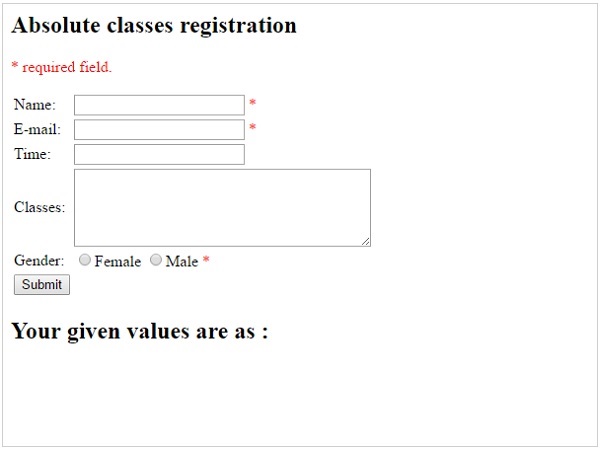
Example below shows the form with required field validation
```
Absolute classes registration
* required field.
Your given values are as:";
echo $name;
echo " ";
echo $email;
echo " ";
echo $website;
echo " ";
echo $comment;
echo " ";
echo $gender;
?>
```
It will produce the following result −
### **Advantages and Disadvantages of PHP Frameworks:**
#### **Advantages of Using PHP Frameworks**
**Speed up custom web application development**
Nowadays, PHP programmers have to write web applications based on complex business requirements. Likewise, they have to explore ways to make the web application deliver richer user experience. The tools, features, and code snippets provided by PHP frameworks help developers to accelerate custom web application development.
**Simplify web application maintenance**
Unlike other programming languages, PHP does not emphasize on code readability and maintainability. The PHP frameworks simplify web application development and maintenance by supporting model-view-controller (MVC) architecture. The developers can take advantage of MVC architecture to divide a web application into models, views and controllers. They can use a MVC framework for PHP to keep the application’s user interface and business logic layers separated.
**No need to write additional code**
PHP, unlike other programming languages, does not allow programmers to express concepts without writing longer lines of code. Hence, the PHP programmers have to write lengthy and complex code while adding features or functionality to a website. The PHP frameworks reduce coding time significantly by providing code generation feature. The code generation features provided by certain PHP frameworks enable programmers to keep the source code of web application clean and maintainable.
**Work with databases more efficiently**
Most PHP frameworks allow programmers to work with a number of widely used relational databases. Some frameworks further simplify database operations by providing object relational mapping (ORM) systems. The programmers can take advantage of the ORM systems to perform database operations without writing lengthy SQL code. The ORMs even allows programmers to write object code directly in PHP programming language.
**Automate common web development tasks**
While building a web application, developers have to perform a number of tasks in addition to writing code. Some of these common web development tasks require programmers to invest additional time and effort. The functions and tools provided by PHP frameworks help developers to automate common web development tasks like caching, session management, authentication, and URL mapping.
**Protect websites from targeted security attacks**
PHP is considered to be one of the most unsecured programming languages. Often programmers have to explore ways to protect the PHP applications from various security attacks. The built-in security features and mechanisms provided by PHP framework make it easier for developers to protect the website from existing and emerging security threats. Also, the **PHP web developers** can easily prevent common security threats like SQL injections, cross-site request forgery, and data tampering.
**Perform unit testing efficiently**
While building a custom web application, developers have to perform unit testing regularly to evaluate its individual units or components. A large percentage of web developers use PHPUnit to perform unit tests quickly and efficiently. In addition to being an object-oriented unit testing framework for PHP, PHPUnit further helps developers to write and run unit tests by providing coding assistance. Many PHP frameworks support PHPUnit natively, and enable programmers to perform unit testing smoothly.
**No need to increase web development cost**
As an open source server-side programming language, PHP helps users to curtail web development cost significantly. The developers also have option to choose from several open source web frameworks for PHP. They can even avail the features and tools provided by these open source PHP frameworks speed up custom web application development without increasing project overheads.
#### **Disadvantages of Using PHP Frameworks:**
**Programmers need to learn PHP frameworks instead of PHP**
The PHP frameworks enable programmers to add functionality to a web application without writing additional code. But the programmers have to put some time and effort to learn the PHP framework. They can even learn and use certain frameworks without being proficient in PHP coding.
**Quality of PHP frameworks differs**
Most widely used PHP frameworks are open source and free. Hence, the web developers can take advantage of these web frameworks without increasing the project cost. But the community strength of individual frameworks differs. Hence, some PHP frameworks lack prompt and adequate support.
**Lack of option to modify core behavior**
In addition to proving a basic structure for web application development, the PHP frameworks further accelerate custom web application development. But the developers still lack any option to make changes to the core behavior of these frameworks. Some frameworks even requirements developers to use specific tools or adopt a particular web development pattern.
**Affect Speed and performance of websites**
Most PHP frameworks come with robust features and tools to accelerate development of large and complex websites. But web developers may not need these advanced features while building small or simple web applications. Also, these additional features often impact the performance and speed of websites adversely.
On the whole, the web developers have option to choose from several full-stack and micro web frameworks for PHP. But the widely used PHP frameworks differ from each other in the category of functionality, usability, and performance. Also, each PHP framework has its own pros and cons. That is why, the web developers must keep in mind precise project requirements while assessing advantages and disadvantages of using PHP frameworks.
-PHP is a server-side scripting language designed for web development but also used as a general-purpose programming language. Originally created by Rasmus Lerdorf in 1994,the PHP reference implementation is now produced by The PHP Group. PHP originally stood for Personal Home Page, but it now stands for the recursive backronym PHP: Hypertext Preprocessor.
PHP code may be embedded into HTML code, or it can be used in combination with various web template systems, web content management system and web frameworks. PHP code is usually processed by a PHP interpreter implemented as amodule in the web server or as a Common Gateway Interface (CGI) executable. The web server combines the results of the interpreted and executed PHP code, which may be any type of data, including images, with the generated web page. PHP code may also be executed with a command-line interface (CLI) and can be used to implement standalone graphical applications.
The standard PHP interpreter, powered by the Zend Engine, is free software released under the PHP License. PHP has been widely ported and can be deployed on most web servers on almost every operating system and platform, free of charge.\
The PHP language evolved without a written formal specification or standard until 2014, leaving the canonical PHP interpreter as a *de facto* standard. Since 2014 work has gone on to create a formal PHP specification.
During the 2010s there have been increased efforts towards standardisation and code sharing in PHP applications by projects such as PHP-FIG in the form of PSR-initiatives as well as Composer dependency manager and the Packagist repository.
**PHP on cloud for AWS**
As PHP can do anything related to server-side programming which contains the backend of any web page,\
it holds a lot of unique features within it. The main purpose of PHP design is web development.
Let us look into some of the unique features of PHP:
* **Simple, Familiar and ease of use:** Its popularly known for its simplicity, familiarity and easy to learn the language as the syntax is similar to that of ‘C’ or Pascal language.\
So the language is very logical and well organized general-purpose programming language. Even people with a normal programming background can easily understand and capture the use of language. PHP is very advantageous for new users as its a very reliable, fluent, organized, clean, demandable and efficient.The main strength of PHP is the availability of rich pre-defined functions. The core distribution helps the developers implement dynamic websites very easily with secured data. PHP applications are very easy to optimize.
* **Loosely typed language:** PHP encourages the use of variables without declaring its data types. So this is taken care at the execution time depending on the value assigned to the variable. Even the variable name can be changed dynamically.
* **Flexibility:** PHP is known for its flexibility and embedded nature as it can be well integrated with **HTML**, **XML**, **Javascript** and many more. PHP can run on multiple operating systems like **Windows**, **Unix**, **Mac** **OS**, **Linux**, **etc**. The PHP scripts can easily run on any device like laptops, mobiles, tablets, and computer. It is very comfortably integrated with various Databases. Desktop applications are created using advanced PHP features. The executable PHP can also be run on command-line as well as directly on the machine. Heavyweight applications can be created without a server or browser.\
It also acts as an excellent interface with relational databases.
* **Open Source:** All PHP frameworks are open sources, No payment is required for the users and its completely free. User can just download PHP and start using for their applications or projects. Even in companies, the total cost is reduced for software development providing more\
reliability and flexibility.It supports a popular range of databases like MySQL, SQLite, Oracle, Sybase, Informix, and PostgreSQL.\
PHP provides libraries to access these databases to interact with web servers. Developers are free to post errors, inspect codes and can contribute to code as well as bug fixing. Many frameworks like Codeignitor, Zend Framework, CakePHP make use of PHP.Even many popular content management systems like WordPress, Joomla and Drupal use PHP as prime language.\
Because of the above reasons many web hosting companies and Internet Service providers prefers PHP.
* **Cross-platform compatibility:** PHP is multi-platform and known for its portability as it can run on any operating System and windows environments. The most common are XAMPP (**Windows**, **Apache Server**, **MySQL**, **Perl**, and **PHP**) and LAMP (**Linux**, **Apache**, **MySQL**, **PHP**). As PHP is platform-independent, it’s very easy to integrate with various databases and other technologies without re-implementation. It effectively saves a lot of energy, time and money.
* **Error reporting and exceptions:** PHP supports much errors reporting constants to generate errors and relevant warnings at run time. For example **E\_ERROR,** **E\_WARNING,** **E\_PARSE,** **E\_STRICT**.\
PHP5 supports exception handling which is used to throw errors which can be caught at any time.
* **Active community support:** PHP is very rich with many diverse online community developers to help beginners for web-based applications. These worldwide volunteers contribute many features as well as new versions for PHP libraries. Even they contribute a translation in different languages to help out programmers. There is a bundle of third-party open-source libraries which provide basic functionalities. Even the documentation given by the official site helps in implementing new features providing access to a variety of creative imagination.
* **Fast and efficient performance:** Users generally prefer fast loading websites.\
For any web development, speed becomes an important aspect which is taken care of by PHP.PHP scripts are faster than other scripting languages like **ASP.NET**, **PERL**, and **JSP**. The memory manager of PHP 7 is very optimized and fast as compared to older versions of PHP. Even connecting to the database and loading of required data from tables, are faster than other programming languages. It provides a built-in module for easy and efficient database management system. The high speed of PHP is advantageous for users for its server administration and mail functionality. Also, it supports session management and removing of unwanted memory allocation.
* **Maintenance:** When dealing with big projects, maintenance of code is also an important aspect of the web development process. There are many PHP frameworks for example MVC (Model View Controller) which makes development and maintenance of code easier. Files belonging to the different module are maintained separately.
* **Third-party application support and security:** Many PHP’s predefined functions support data encryption options keeping it more secure. Even the users can use third-party applications to secure data.
* **Real time access monitoring:** PHP also provides a summary of user’s recent logging accesses.
* **Memory and CPU usage information:** PHP can provide memory usage information from functions like **memory\_get\_usage()** or **memory\_get\_peak\_usage()**, which can help the developers optimize their code. In the similar way, the CPU power consumed by any script can be retrieved for further optimization.
* **Object oriented features:** PHP supports object-oriented programming features, resulting in increased speed and introducing added features like data encapsulation and inheritance at many levels.
* **Magic Constants:** PHP provides many built-in magic methods starting with **\_\_(double underscore)** which are called during specific events.**For example directory path**(\_\_DIR\_\_), class name (\_\_CLASS\_\_), namespace (\_\_NAMESPACE\_\_), function name (\_\_FUNCTION\_\_), method name (\_\_METHOD\_\_), line number (\_\_LINE\_\_), file path (\_\_FILE\_\_).
* **Regular expression:** PHP provides regular expression functions with parsing and pattern matching methods.
* **PDO Class:** PHP Data Objects are created by PDO class which gives a good abstraction layer for database drivers. The PDO Classes are enriched with functions which are database independent. It means the same functions are used for similar actions for different databases without re-development as long as it supports PDO. In this way, the application becomes more portable saving lot of time and effort. Use of PDO helps the application from SQL injection attacks.
**Additional Features:**\
The feature list is endless. The other features of PHP are manipulation of images using GD library, make remote connections using cURL, handling file system, managing user sessions, track sessions, Use of SimpleXML Class which reads and write XML files through objects, support of cookies and sessions, shell command-line execution, compression of ZIP archives, use of Ajax.
**Major Features of PHP**
* HTTP authentication with PHP
* Cookies
* Sessions
* Dealing with XForms
* **Handling file uploads**
* POST method uploads
* Error Messages Explained
* Common Pitfalls
* Uploading multiple files
* PUT method support
* Using remote files
* Connection handling
* Persistent Database Connections
* **Safe Mode**
* Security and Safe Mode
* Functions restricted/disabled by safe mode
* C**ommand line usage —** Using PHP from the command line
* Introduction
* Differences to other SAPIs
* Options — Command line options
* Usage — Executing PHP files
* I/O streams — Input/output streams
* Interactive shell
* Built-in web server
* INI settings
* **Garbage Collection**
* Reference Counting Basics
* Collecting Cycles
* Performance Considerations
* **DTrace Dynamic Tracing**
* Introduction to PHP and DTrace
* Using PHP and DTrace
* Using SystemTap with PHP DTrace Static Probes
**Installation Instructions for Windows**
A) **Choose Start**, expand All Programs, and then select **PHP**
B) RDP Connection: To connect to the operating system,
1\) [Connect to virtual machine](https://aws.amazon.com/getting-started/tutorials/launch-windows-vm/) using following RDP credentials :
* Hostname: **PublicDNS / IP of machine**
* Port : 3389
**Username**: To connect to the operating system, use RDP and the username is Administrator.\
**Password** : Please Click here to know how to [get password](https://docs.aws.amazon.com/AWSEC2/latest/WindowsGuide/connecting_to_windows_instance.html) .
**C) Other Information**:
**1.Default installation path:** will be on your root folder **“C:\inetpub\wwwroot”**\
**2.Default ports:**
* Windows Machines: RDP Port – 3389
* Http: 80
* Https: 443
Configure custom inbound and outbound rules using this [link](https://docs.aws.amazon.com/AWSEC2/latest/WindowsGuide/using-network-security.html#adding-security-group-rule)
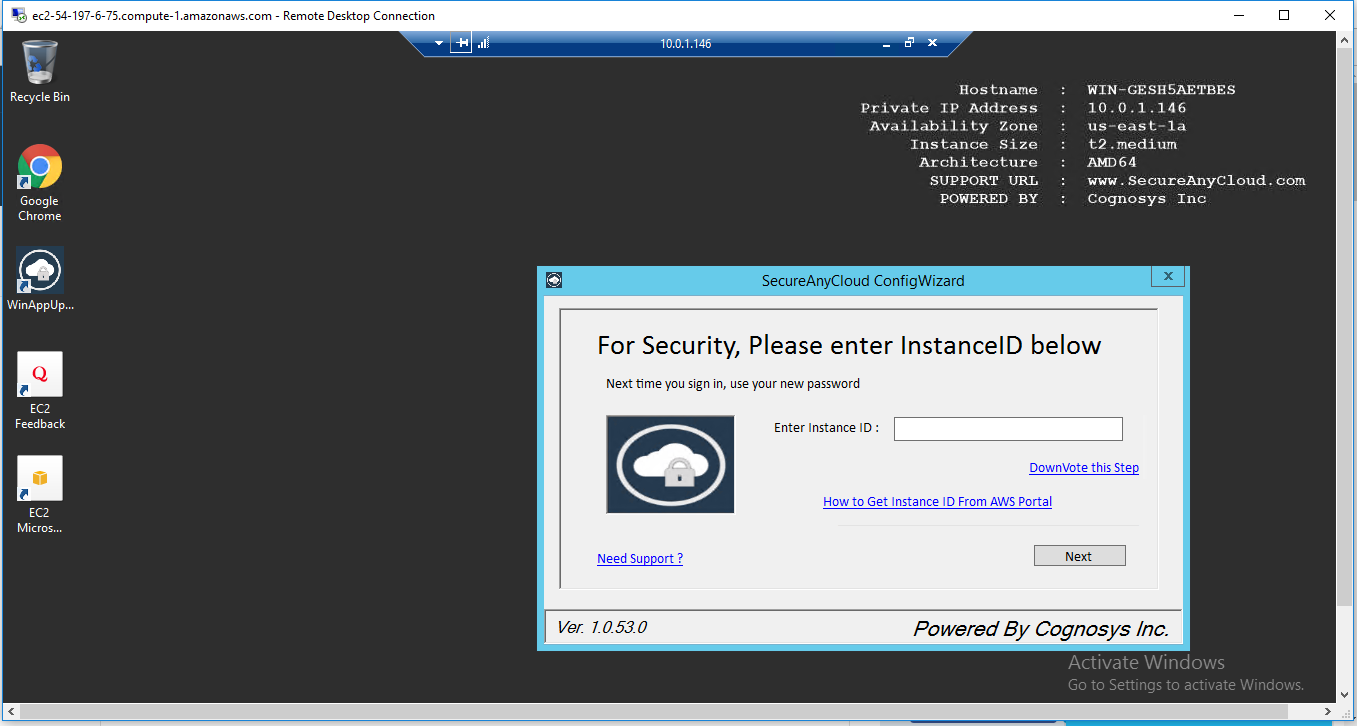
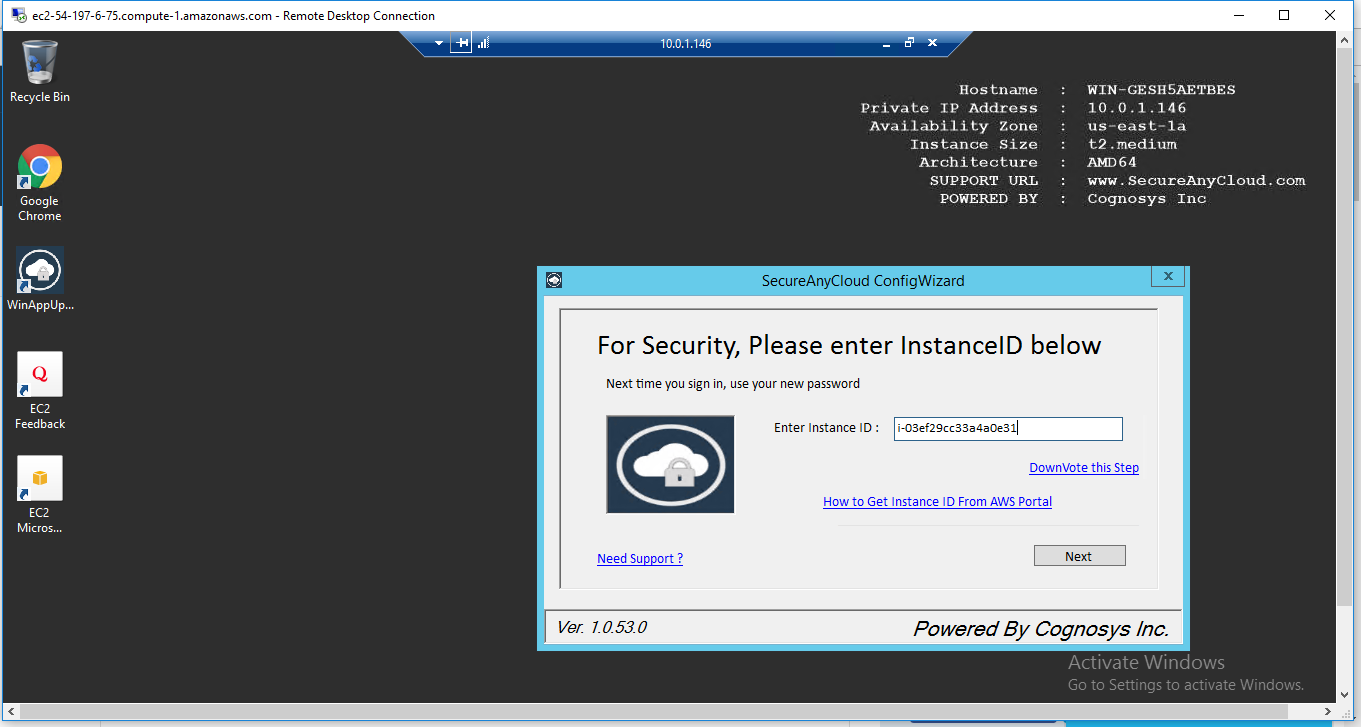
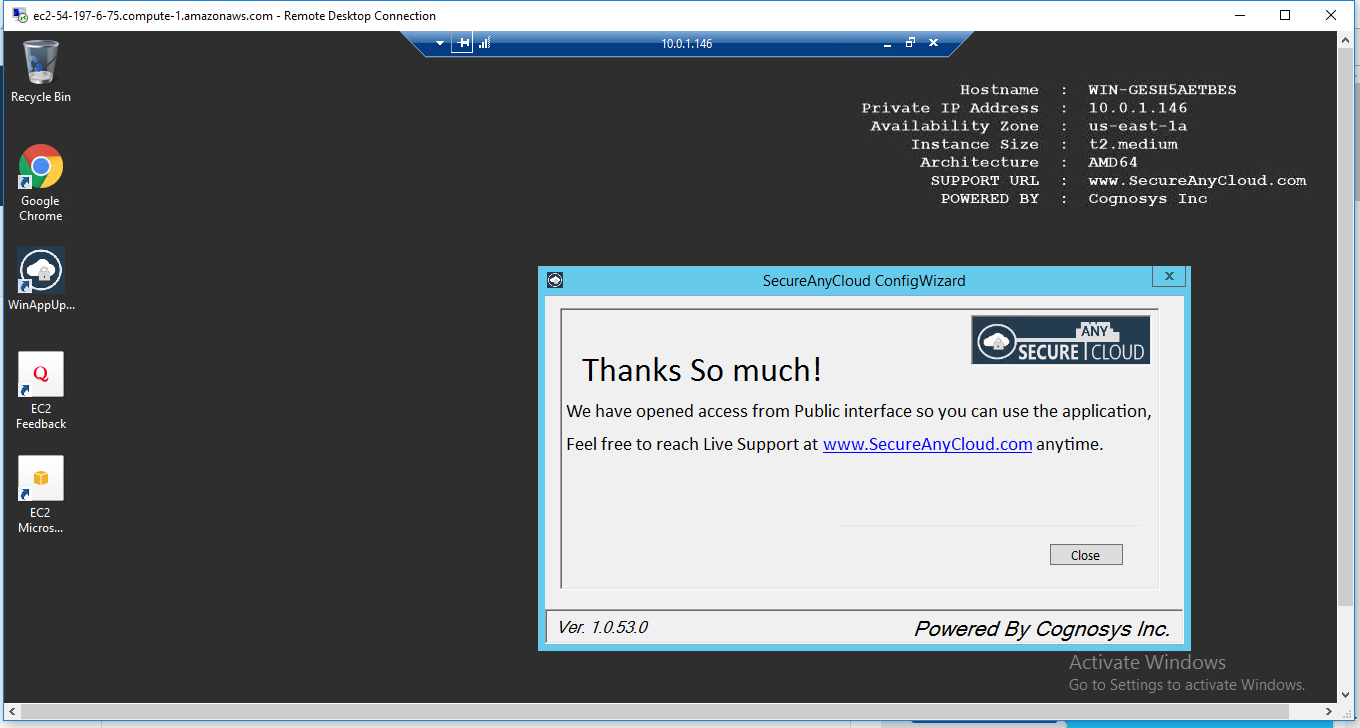
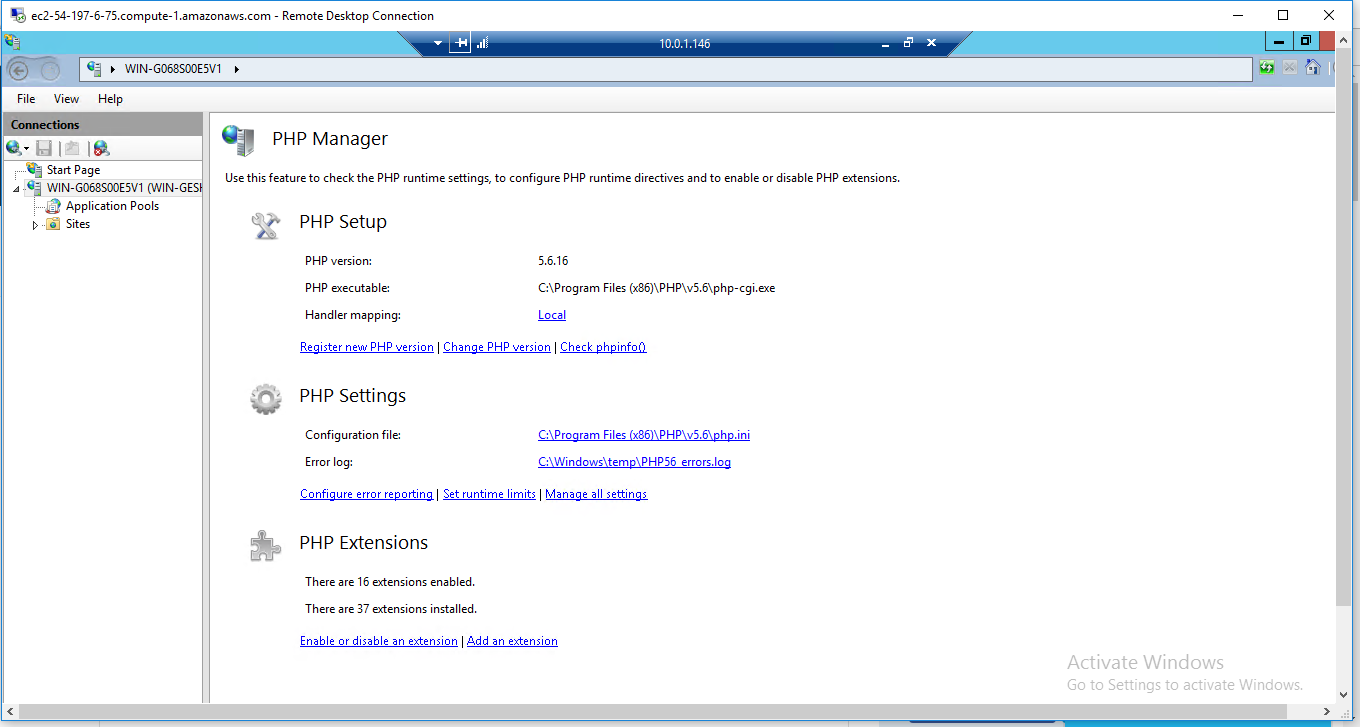
**AWS Step by Step Screenshots**
[ ](https://sitestoresac.blob.core.windows.net/sac-multi/uploads/sites/33/2016/05/8-71.png)[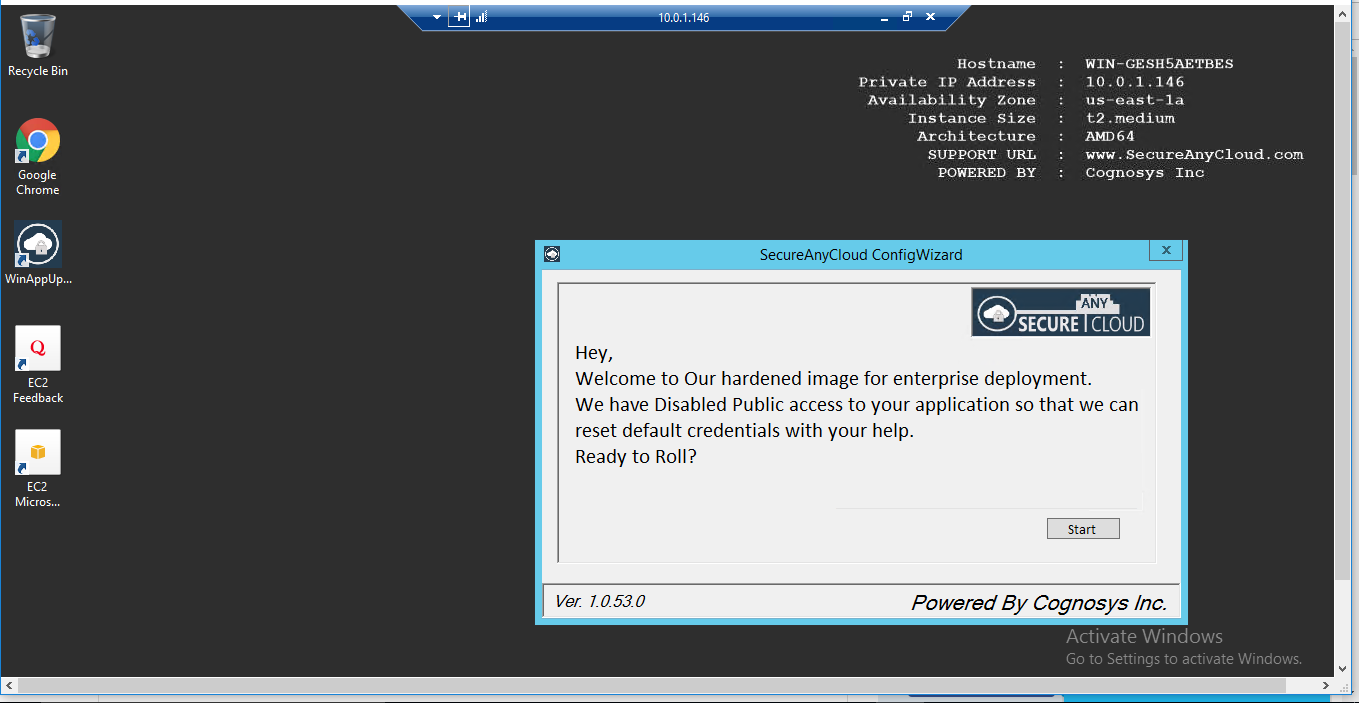](https://sitestoresac.blob.core.windows.net/sac-multi/uploads/sites/33/2016/05/3-89.png)
[](https://sitestoresac.blob.core.windows.net/sac-multi/uploads/sites/33/2016/05/4-92.png)
[](https://sitestoresac.blob.core.windows.net/sac-multi/uploads/sites/33/2016/05/5-84.png)
[](https://sitestoresac.blob.core.windows.net/sac-multi/uploads/sites/33/2016/05/6-81.png)
[](https://sitestoresac.blob.core.windows.net/sac-multi/uploads/sites/33/2016/05/8-71.png)
**How to install and configure php on iis 2008 R2**
**How to install and configure PHP Website on IIS 8 in Windows 2012**
# \[Stack\_Name]
\[Link\_To\_Deploy]
{% tabs %}
{% tab title="Overview" %}
\[Stack\_Overview]
{% endtab %}
{% tab title="Instructions" %}
\[Stack\_Common\_Instructions]
{% endtab %}
{% tab title="Azure" %}
\[AZURE\_Connection\_Instructions]
{% endtab %}
{% tab title="AWS" %}
\[AWS\_Connection\_Instructions]
{% endtab %}
{% tab title="GCP" %}
\[GCP\_Connection\_Instructions]
{% endtab %}
{% tab title="Oracle" %}
\[OCI\_Connection\_Instructions]
{% endtab %}
{% endtabs %}
\[FAQ]
 As PHP can do anything related to server-side programming which contains the backend of any web page,\
it holds a lot of unique features within it. The main purpose of PHP design is web development.
Let us look into some of the unique features of PHP:
* **Simple, Familiar and ease of use:** Its popularly known for its simplicity, familiarity and easy to learn the language as the syntax is similar to that of ‘C’ or Pascal language.\
So the language is very logical and well organized general-purpose programming language. Even people with a normal programming background can easily understand and capture the use of language. PHP is very advantageous for new users as its a very reliable, fluent, organized, clean, demandable and efficient.The main strength of PHP is the availability of rich pre-defined functions. The core distribution helps the developers implement dynamic websites very easily with secured data. PHP applications are very easy to optimize.
* **Loosely typed language:** PHP encourages the use of variables without declaring its data types. So this is taken care at the execution time depending on the value assigned to the variable. Even the variable name can be changed dynamically.
* **Flexibility:** PHP is known for its flexibility and embedded nature as it can be well integrated with **HTML**, **XML**, **Javascript** and many more. PHP can run on multiple operating systems like **Windows**, **Unix**, **Mac** **OS**, **Linux**, **etc**. The PHP scripts can easily run on any device like laptops, mobiles, tablets, and computer. It is very comfortably integrated with various Databases. Desktop applications are created using advanced PHP features. The executable PHP can also be run on command-line as well as directly on the machine. Heavyweight applications can be created without a server or browser.\
It also acts as an excellent interface with relational databases.
* **Open Source:** All PHP frameworks are open sources, No payment is required for the users and its completely free. User can just download PHP and start using for their applications or projects. Even in companies, the total cost is reduced for software development providing more\
reliability and flexibility.It supports a popular range of databases like MySQL, SQLite, Oracle, Sybase, Informix, and PostgreSQL.\
PHP provides libraries to access these databases to interact with web servers. Developers are free to post errors, inspect codes and can contribute to code as well as bug fixing. Many frameworks like Codeignitor, Zend Framework, CakePHP make use of PHP.Even many popular content management systems like WordPress, Joomla and Drupal use PHP as prime language.\
Because of the above reasons many web hosting companies and Internet Service providers prefers PHP.
* **Cross-platform compatibility:** PHP is multi-platform and known for its portability as it can run on any operating System and windows environments. The most common are XAMPP (**Windows**, **Apache Server**, **MySQL**, **Perl**, and **PHP**) and LAMP (**Linux**, **Apache**, **MySQL**, **PHP**). As PHP is platform-independent, it’s very easy to integrate with various databases and other technologies without re-implementation. It effectively saves a lot of energy, time and money.
* **Error reporting and exceptions:** PHP supports much errors reporting constants to generate errors and relevant warnings at run time. For example **E\_ERROR,** **E\_WARNING,** **E\_PARSE,** **E\_STRICT**.\
PHP5 supports exception handling which is used to throw errors which can be caught at any time.
* **Active community support:** PHP is very rich with many diverse online community developers to help beginners for web-based applications. These worldwide volunteers contribute many features as well as new versions for PHP libraries. Even they contribute a translation in different languages to help out programmers. There is a bundle of third-party open-source libraries which provide basic functionalities. Even the documentation given by the official site helps in implementing new features providing access to a variety of creative imagination.
* **Fast and efficient performance:** Users generally prefer fast loading websites.\
For any web development, speed becomes an important aspect which is taken care of by PHP.PHP scripts are faster than other scripting languages like **ASP.NET**, **PERL**, and **JSP**. The memory manager of PHP 7 is very optimized and fast as compared to older versions of PHP. Even connecting to the database and loading of required data from tables, are faster than other programming languages. It provides a built-in module for easy and efficient database management system. The high speed of PHP is advantageous for users for its server administration and mail functionality. Also, it supports session management and removing of unwanted memory allocation.
* **Maintenance:** When dealing with big projects, maintenance of code is also an important aspect of the web development process. There are many PHP frameworks for example MVC (Model View Controller) which makes development and maintenance of code easier. Files belonging to the different module are maintained separately.
* **Third-party application support and security:** Many PHP’s predefined functions support data encryption options keeping it more secure. Even the users can use third-party applications to secure data.
* **Real time access monitoring:** PHP also provides a summary of user’s recent logging accesses.
* **Memory and CPU usage information:** PHP can provide memory usage information from functions like **memory\_get\_usage()** or **memory\_get\_peak\_usage()**, which can help the developers optimize their code. In the similar way, the CPU power consumed by any script can be retrieved for further optimization.
* **Object oriented features:** PHP supports object-oriented programming features, resulting in increased speed and introducing added features like data encapsulation and inheritance at many levels.
* **Magic Constants:** PHP provides many built-in magic methods starting with **\_\_(double underscore)** which are called during specific events.**For example directory path**(\_\_DIR\_\_), class name (\_\_CLASS\_\_), namespace (\_\_NAMESPACE\_\_), function name (\_\_FUNCTION\_\_), method name (\_\_METHOD\_\_), line number (\_\_LINE\_\_), file path (\_\_FILE\_\_).
* **Regular expression:** PHP provides regular expression functions with parsing and pattern matching methods.
* **PDO Class:** PHP Data Objects are created by PDO class which gives a good abstraction layer for database drivers. The PDO Classes are enriched with functions which are database independent. It means the same functions are used for similar actions for different databases without re-development as long as it supports PDO. In this way, the application becomes more portable saving lot of time and effort. Use of PDO helps the application from SQL injection attacks.
**Additional Features:**\
The feature list is endless. The other features of PHP are manipulation of images using GD library, make remote connections using cURL, handling file system, managing user sessions, track sessions, Use of SimpleXML Class which reads and write XML files through objects, support of cookies and sessions, shell command-line execution, compression of ZIP archives, use of Ajax.
**Major Features of PHP**
* HTTP authentication with PHP
* Cookies
* Sessions
* Dealing with XForms
* **Handling file uploads**
* POST method uploads
* Error Messages Explained
* Common Pitfalls
* Uploading multiple files
* PUT method support
* Using remote files
* Connection handling
* Persistent Database Connections
* **Safe Mode**
* Security and Safe Mode
* Functions restricted/disabled by safe mode
* C**ommand line usage —** Using PHP from the command line
* Introduction
* Differences to other SAPIs
* Options — Command line options
* Usage — Executing PHP files
* I/O streams — Input/output streams
* Interactive shell
* Built-in web server
* INI settings
* **Garbage Collection**
* Reference Counting Basics
* Collecting Cycles
* Performance Considerations
* **DTrace Dynamic Tracing**
* Introduction to PHP and DTrace
* Using PHP and DTrace
* Using SystemTap with PHP DTrace Static Probes
**Installation Instructions for Windows**
A) **Choose Start**, expand All Programs, and then select **PHP**
B) RDP Connection: To connect to the operating system,
1\) [Connect to virtual machine](https://aws.amazon.com/getting-started/tutorials/launch-windows-vm/) using following RDP credentials :
* Hostname: **PublicDNS / IP of machine**
* Port : 3389
**Username**: To connect to the operating system, use RDP and the username is Administrator.\
**Password** : Please Click here to know how to [get password](https://docs.aws.amazon.com/AWSEC2/latest/WindowsGuide/connecting_to_windows_instance.html) .
**C) Other Information**:
**1.Default installation path:** will be on your root folder **“C:\inetpub\wwwroot”**\
**2.Default ports:**
* Windows Machines: RDP Port – 3389
* Http: 80
* Https: 443
Configure custom inbound and outbound rules using this [link](https://docs.aws.amazon.com/AWSEC2/latest/WindowsGuide/using-network-security.html#adding-security-group-rule)
**AWS Step by Step Screenshots**
[
As PHP can do anything related to server-side programming which contains the backend of any web page,\
it holds a lot of unique features within it. The main purpose of PHP design is web development.
Let us look into some of the unique features of PHP:
* **Simple, Familiar and ease of use:** Its popularly known for its simplicity, familiarity and easy to learn the language as the syntax is similar to that of ‘C’ or Pascal language.\
So the language is very logical and well organized general-purpose programming language. Even people with a normal programming background can easily understand and capture the use of language. PHP is very advantageous for new users as its a very reliable, fluent, organized, clean, demandable and efficient.The main strength of PHP is the availability of rich pre-defined functions. The core distribution helps the developers implement dynamic websites very easily with secured data. PHP applications are very easy to optimize.
* **Loosely typed language:** PHP encourages the use of variables without declaring its data types. So this is taken care at the execution time depending on the value assigned to the variable. Even the variable name can be changed dynamically.
* **Flexibility:** PHP is known for its flexibility and embedded nature as it can be well integrated with **HTML**, **XML**, **Javascript** and many more. PHP can run on multiple operating systems like **Windows**, **Unix**, **Mac** **OS**, **Linux**, **etc**. The PHP scripts can easily run on any device like laptops, mobiles, tablets, and computer. It is very comfortably integrated with various Databases. Desktop applications are created using advanced PHP features. The executable PHP can also be run on command-line as well as directly on the machine. Heavyweight applications can be created without a server or browser.\
It also acts as an excellent interface with relational databases.
* **Open Source:** All PHP frameworks are open sources, No payment is required for the users and its completely free. User can just download PHP and start using for their applications or projects. Even in companies, the total cost is reduced for software development providing more\
reliability and flexibility.It supports a popular range of databases like MySQL, SQLite, Oracle, Sybase, Informix, and PostgreSQL.\
PHP provides libraries to access these databases to interact with web servers. Developers are free to post errors, inspect codes and can contribute to code as well as bug fixing. Many frameworks like Codeignitor, Zend Framework, CakePHP make use of PHP.Even many popular content management systems like WordPress, Joomla and Drupal use PHP as prime language.\
Because of the above reasons many web hosting companies and Internet Service providers prefers PHP.
* **Cross-platform compatibility:** PHP is multi-platform and known for its portability as it can run on any operating System and windows environments. The most common are XAMPP (**Windows**, **Apache Server**, **MySQL**, **Perl**, and **PHP**) and LAMP (**Linux**, **Apache**, **MySQL**, **PHP**). As PHP is platform-independent, it’s very easy to integrate with various databases and other technologies without re-implementation. It effectively saves a lot of energy, time and money.
* **Error reporting and exceptions:** PHP supports much errors reporting constants to generate errors and relevant warnings at run time. For example **E\_ERROR,** **E\_WARNING,** **E\_PARSE,** **E\_STRICT**.\
PHP5 supports exception handling which is used to throw errors which can be caught at any time.
* **Active community support:** PHP is very rich with many diverse online community developers to help beginners for web-based applications. These worldwide volunteers contribute many features as well as new versions for PHP libraries. Even they contribute a translation in different languages to help out programmers. There is a bundle of third-party open-source libraries which provide basic functionalities. Even the documentation given by the official site helps in implementing new features providing access to a variety of creative imagination.
* **Fast and efficient performance:** Users generally prefer fast loading websites.\
For any web development, speed becomes an important aspect which is taken care of by PHP.PHP scripts are faster than other scripting languages like **ASP.NET**, **PERL**, and **JSP**. The memory manager of PHP 7 is very optimized and fast as compared to older versions of PHP. Even connecting to the database and loading of required data from tables, are faster than other programming languages. It provides a built-in module for easy and efficient database management system. The high speed of PHP is advantageous for users for its server administration and mail functionality. Also, it supports session management and removing of unwanted memory allocation.
* **Maintenance:** When dealing with big projects, maintenance of code is also an important aspect of the web development process. There are many PHP frameworks for example MVC (Model View Controller) which makes development and maintenance of code easier. Files belonging to the different module are maintained separately.
* **Third-party application support and security:** Many PHP’s predefined functions support data encryption options keeping it more secure. Even the users can use third-party applications to secure data.
* **Real time access monitoring:** PHP also provides a summary of user’s recent logging accesses.
* **Memory and CPU usage information:** PHP can provide memory usage information from functions like **memory\_get\_usage()** or **memory\_get\_peak\_usage()**, which can help the developers optimize their code. In the similar way, the CPU power consumed by any script can be retrieved for further optimization.
* **Object oriented features:** PHP supports object-oriented programming features, resulting in increased speed and introducing added features like data encapsulation and inheritance at many levels.
* **Magic Constants:** PHP provides many built-in magic methods starting with **\_\_(double underscore)** which are called during specific events.**For example directory path**(\_\_DIR\_\_), class name (\_\_CLASS\_\_), namespace (\_\_NAMESPACE\_\_), function name (\_\_FUNCTION\_\_), method name (\_\_METHOD\_\_), line number (\_\_LINE\_\_), file path (\_\_FILE\_\_).
* **Regular expression:** PHP provides regular expression functions with parsing and pattern matching methods.
* **PDO Class:** PHP Data Objects are created by PDO class which gives a good abstraction layer for database drivers. The PDO Classes are enriched with functions which are database independent. It means the same functions are used for similar actions for different databases without re-development as long as it supports PDO. In this way, the application becomes more portable saving lot of time and effort. Use of PDO helps the application from SQL injection attacks.
**Additional Features:**\
The feature list is endless. The other features of PHP are manipulation of images using GD library, make remote connections using cURL, handling file system, managing user sessions, track sessions, Use of SimpleXML Class which reads and write XML files through objects, support of cookies and sessions, shell command-line execution, compression of ZIP archives, use of Ajax.
**Major Features of PHP**
* HTTP authentication with PHP
* Cookies
* Sessions
* Dealing with XForms
* **Handling file uploads**
* POST method uploads
* Error Messages Explained
* Common Pitfalls
* Uploading multiple files
* PUT method support
* Using remote files
* Connection handling
* Persistent Database Connections
* **Safe Mode**
* Security and Safe Mode
* Functions restricted/disabled by safe mode
* C**ommand line usage —** Using PHP from the command line
* Introduction
* Differences to other SAPIs
* Options — Command line options
* Usage — Executing PHP files
* I/O streams — Input/output streams
* Interactive shell
* Built-in web server
* INI settings
* **Garbage Collection**
* Reference Counting Basics
* Collecting Cycles
* Performance Considerations
* **DTrace Dynamic Tracing**
* Introduction to PHP and DTrace
* Using PHP and DTrace
* Using SystemTap with PHP DTrace Static Probes
**Installation Instructions for Windows**
A) **Choose Start**, expand All Programs, and then select **PHP**
B) RDP Connection: To connect to the operating system,
1\) [Connect to virtual machine](https://aws.amazon.com/getting-started/tutorials/launch-windows-vm/) using following RDP credentials :
* Hostname: **PublicDNS / IP of machine**
* Port : 3389
**Username**: To connect to the operating system, use RDP and the username is Administrator.\
**Password** : Please Click here to know how to [get password](https://docs.aws.amazon.com/AWSEC2/latest/WindowsGuide/connecting_to_windows_instance.html) .
**C) Other Information**:
**1.Default installation path:** will be on your root folder **“C:\inetpub\wwwroot”**\
**2.Default ports:**
* Windows Machines: RDP Port – 3389
* Http: 80
* Https: 443
Configure custom inbound and outbound rules using this [link](https://docs.aws.amazon.com/AWSEC2/latest/WindowsGuide/using-network-security.html#adding-security-group-rule)
**AWS Step by Step Screenshots**
[